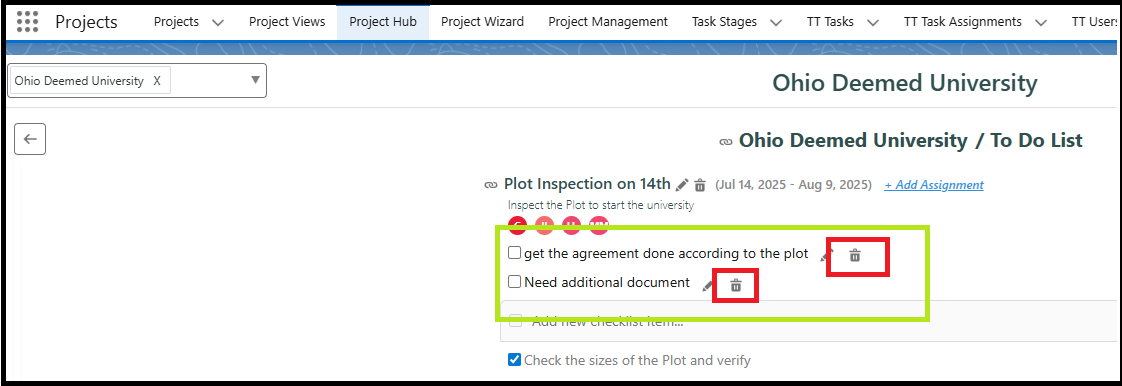
A checklist is a structured list of tasks, actions, or verification items designed to ensure that all required steps in a process are completed systematically. It allows users to track activities by marking each item as completed, helping maintain consistency and accuracy while performing tasks. Checklists are commonly used in workflows, project execution, approvals, and validation processes to make sure that no important step is overlooked.
To Edit a Checklist:
Navigate to the Project Hub tab and select the relevant project.
Click on the To-Do list tile to view the list of tasks.
Search for the task that contains the checklist item you want to edit.
Click the Edit button next to the checklist item you want to modify.
Make the necessary changes and click the Save icon at the end of the checklist row.
To Delete a Checklist Item from a Task
Go to the Project Hub tab and select the relevant Project.
Click on the ToDo tile to view the list of tasks.
Search for the Task that contains the checklist item you want to delete.
Click the Delete button next to the checklist item you want to remove.
The checklist item will be deleted from the task.