
You can now automatically create a Project and its related tasks by following the steps below.
The Project Wizard is designed to create the Project structure automatically. Our LLM automatically generates the Project, its related Tasks, and the WBS numbers based on the prompt provided during Project creation.
Steps to create a Project with related tasks:
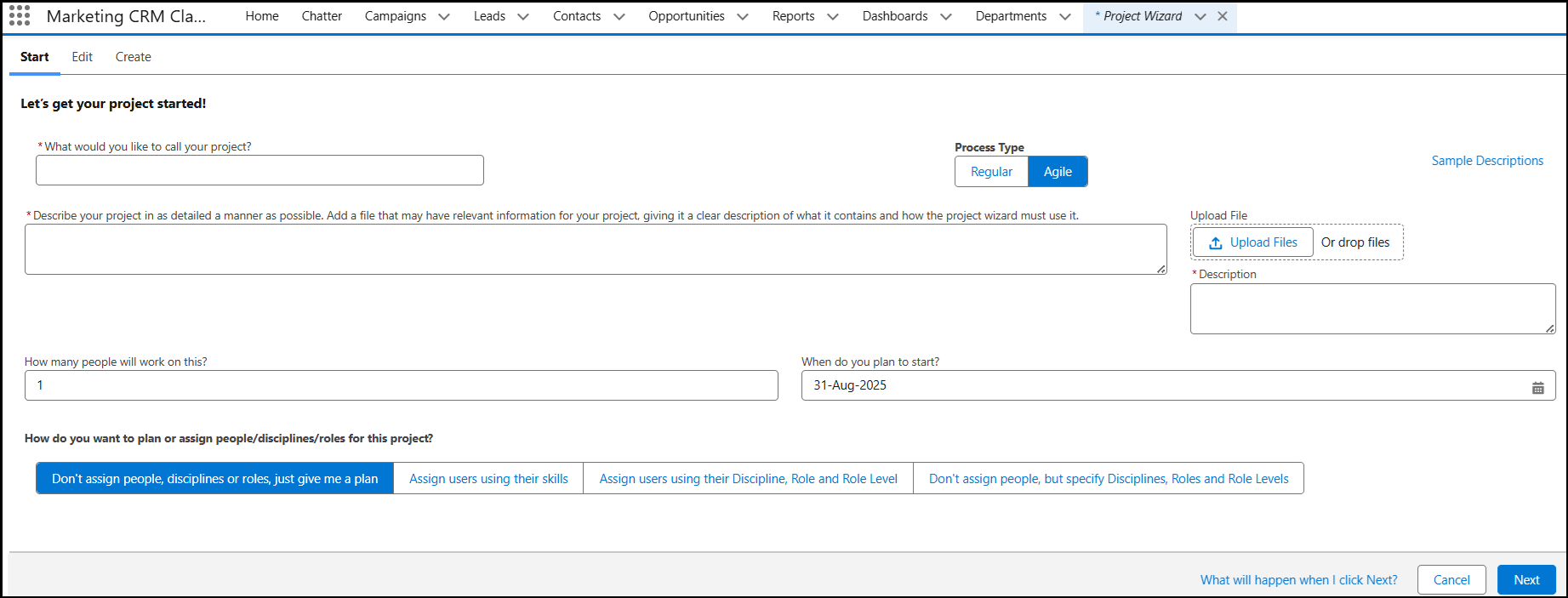
Go to the Project Wizard tab.
Enter the Project Name and Description (Prompt).
Attach any supporting files (Excel, Word, etc.) and add a description for the attached file.
Enter the number of people required for this project and the project start date.
Select the option to How do you want to plan or assign people/disciplines/roles for this project? Then click Next.
- Don't assign People, Discipline or Roles, just give me a plan: By using this option, the Wizard only creates a Project with related tasks and the tasks are not assigned to any user.
- Assign Users using their Skills: If you are using Skills in your org, the Tasks will be automatically assigned to the users according to their skills. Click here to know more about creating skills and assigning it to users in your org.
- Assign users using their Discipline, Role, and Role Level: Create Disciplines, Roles, Role Levels, in your org, and assign it to users. Only then can you assign the tasks to the users using the Assign users using their Discipline, Role, and Role Level.
- Don't assign people, but specify Discipline, Roles, and Role Level: It will only show the tasks and the users that have the related tasks and will not be assigned automatically.
The system will process the project creation and display the Project Summary, Tasks, Assignments, Skills, Reasons, Risks, Notes, Tools & Technologies, Meterials and Compliance details.
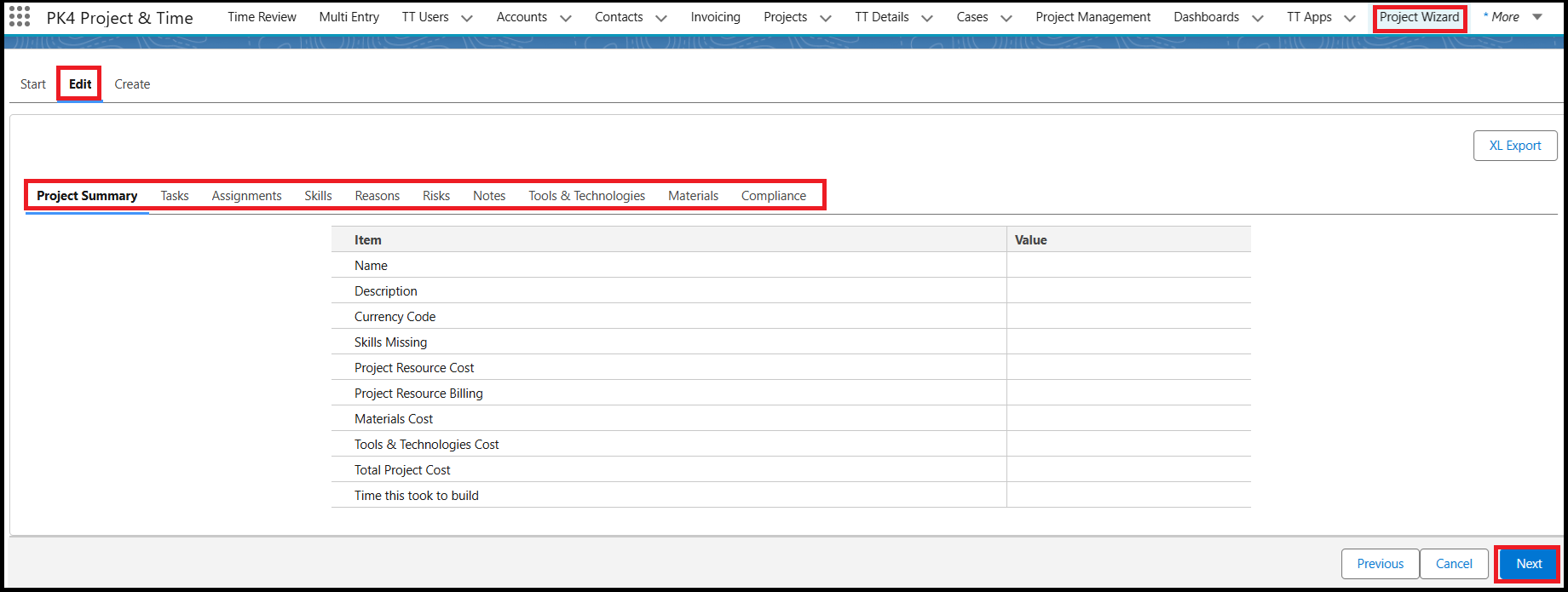
- Once the Project is created, these details will be emailed to you. You can also click the XL Export button to export the details manually.
- Review the details and click Save.
Your project will now be created along with the related tasks and assigned to the users based on the options you selected during setup.